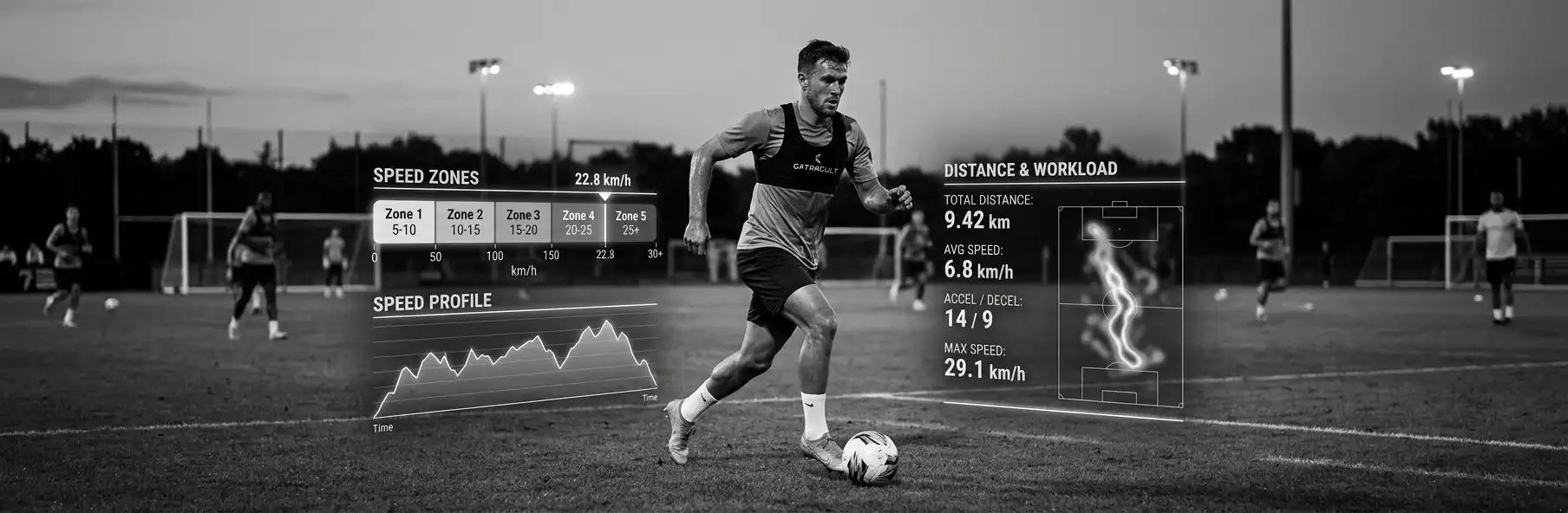
GPS Data in Football: Speed Zones and Distance to Fine-Tune Training
How to read GPS data in football. distance covered, speed zones and sprints. to adjust training load and reduce injury risk.
Written by
João Araújo
Physical Education Teacher (FADEUP – University of Porto) · Futsal Coach – Level II · UEFA B License · Master’s in Physical Education
15 years teaching Physical Education in schools, 20 years coaching futsal at youth development level and 5 years coaching football. Federated and amateur football and futsal player.
Buying GPS vests is the easy part. The hard part is knowing what to do with the numbers on the report after training. Plenty of amateur clubs invest in tracking technology and then only ever look at “total distance”, wasting the most valuable information the system provides: how that distance breaks down across speed zones.
Without reading speed zones and sprint peaks, GPS is nothing more than an expensive stopwatch. Understanding what each metric says about the real demands of a session is what turns data into decisions.
Why Total Distance Isn’t Enough
Two players can cover the same 9km in a session with completely different demands: one did it at a steady jogging pace, the other racked up 25 sprints above 25km/h. The second case carries a far higher muscle injury risk, even with the same total distance. Ignoring this means ignoring the variable most closely tied to hamstring injuries.
The Speed Zones That Matter
- Zone 1 (0-7 km/h): walking, irrelevant for load management
- Zone 2 (7-14 km/h): light jogging. general aerobic volume
- Zone 3 (14-19 km/h): moderate running. base tactical demand
- Zone 4 (19-23 km/h): high-intensity running. key indicator of physical demand
- Zone 5 (>23 km/h): sprinting. The metric most linked to muscle injury risk
Practical Application: How to Read the Post-Training Report
| Metric | What it reveals | Manager’s action |
|---|---|---|
| Total distance | General volume | Compare against the player’s own average |
| Distance in Zone 4-5 | High-intensity demand | Adjust next day’s sprint volume |
| Number of sprints | Repetition of maximal efforts | Warning sign if well above usual |
| Acceleration/deceleration | Eccentric load on the legs | Cross-reference with accumulated muscle fatigue |
Common Mistakes Reading GPS Data
- Only looking at total distance and ignoring the zone breakdown
- Comparing players from different positions without adjusting for their specific demands (a winger covers far more Zone 5 distance than a centre-back)
- Not cross-referencing GPS data with the player’s subjective RPE
- Piling up data without ever using it to adjust the next day’s training
🔧 Useful Tool
Logging and comparing GPS metrics match by match and session by session, per player, is what lets you spot fatigue patterns before they turn into injury. SportsLabTools Stats helps organise that history in a comparable way.
When GPS Isn’t an Option
Not every club has access to GPS. In that case, monitoring internal load via RPE remains the most accessible; equally valid. alternative for managing training progression.
See also: Training Load Monitoring Without GPS: RPE and Affordable Methods for Amateur Clubs. The practical alternative when tracking technology isn’t available.
Checklist: Reading GPS Data in Football
- Distance analysed by speed zone, not just the total
- Data compared by position, not treated generically
- Number and intensity of sprints monitored match by match
- RPE cross-referenced with objective GPS data
- Acceleration/deceleration peaks logged
- Training adjustments made based on the data, not just filed away
Conclusion
GPS only has value when the data is read by zone and cross-referenced with each player’s context. Total distance is a vanity metric. speed zones and sprints are what actually helps prevent injury and fine-tune training.
Turn GPS data into training decisions. Use SportsLabTools Stats to organise and compare each player’s speed zones.
Optional accelerator · the tool is always free
Reliable stats as soon as the next match
An action taxonomy ready for live logging from the bench, with pitch and goal location already active — heat maps and shot maps without configuring anything.